Feature Extraction in Computer Vision

When we look at a dog, your brain does parallel processing of colors, shapes, edges, textures, motion etc. Our brain has prior knowledge from years of experience, so it knows that dogs have ears, fur, legs, tails and cars have wheels, headlights, windows. So when you see something with four legs + fur + tail and a specific shape, out brain immediatelly decides that it is a dog (even if it’s partially hidden).
Our brain also uses reasoning & context. If you see something with headlights on a road → then probably a car. If you see something barking in a park → then probably a dog. So context helps disambiguate visual information.
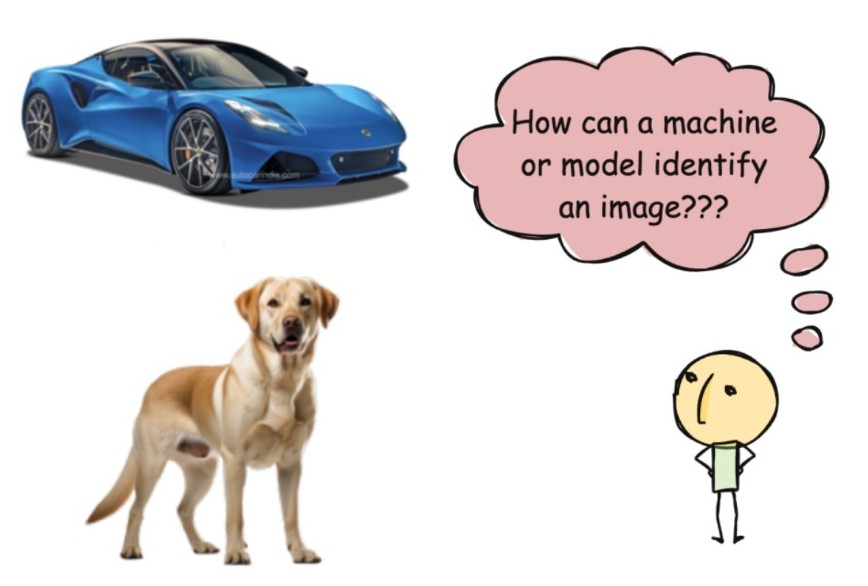
Machines just see numbers or image pixel intensity values
How an Image Is Represented
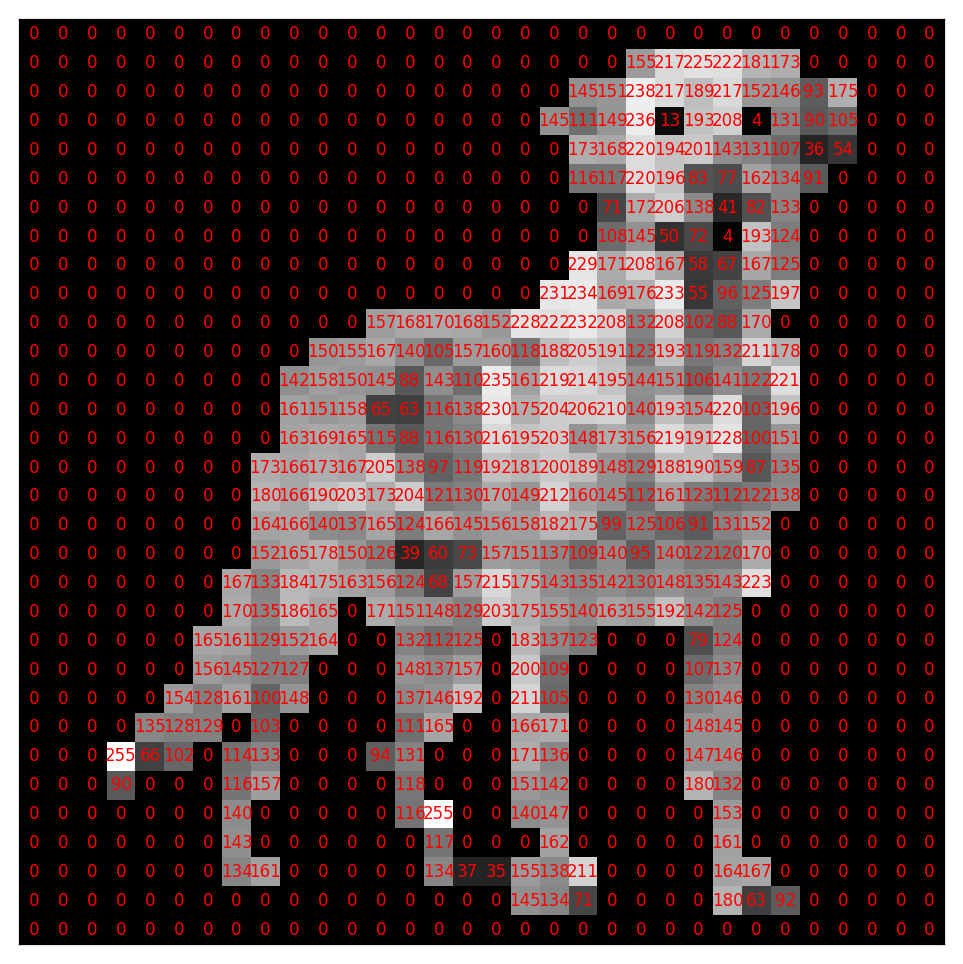
- An image is a grid of pixels
- Each pixel stores a numerical value
- The grid has height × width dimensions
- In Gray-scale image, each pixel has one value representing intensity (dark → bright). 0 → black and 255 → white
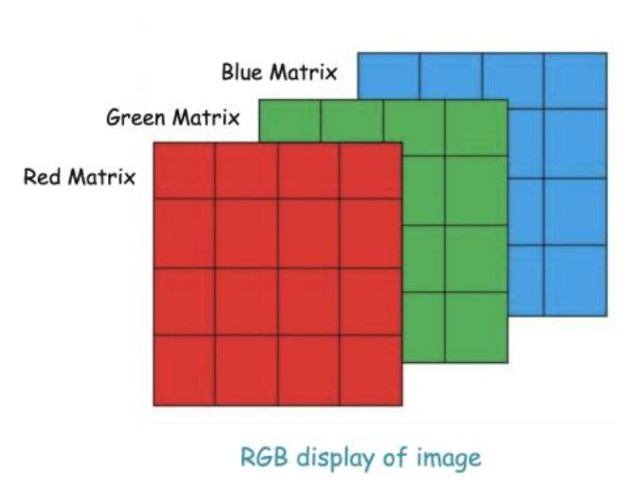
- In colour image, each pixel has three values for Red, Green, Blue and Represented as three stacked grids

What Features To Extract From Image?
Machines need to extract features from these pixel values, so that it can identify images. The original images had a lot of information, like the shape of the object, its color, the edges, texture, may be background noise, etc. Models don’t need everything. Often, shape and edges are enough to distinguish objects. Edges highlight structure, hence in most of the cases, we can extract only the shape and the edges from the image.
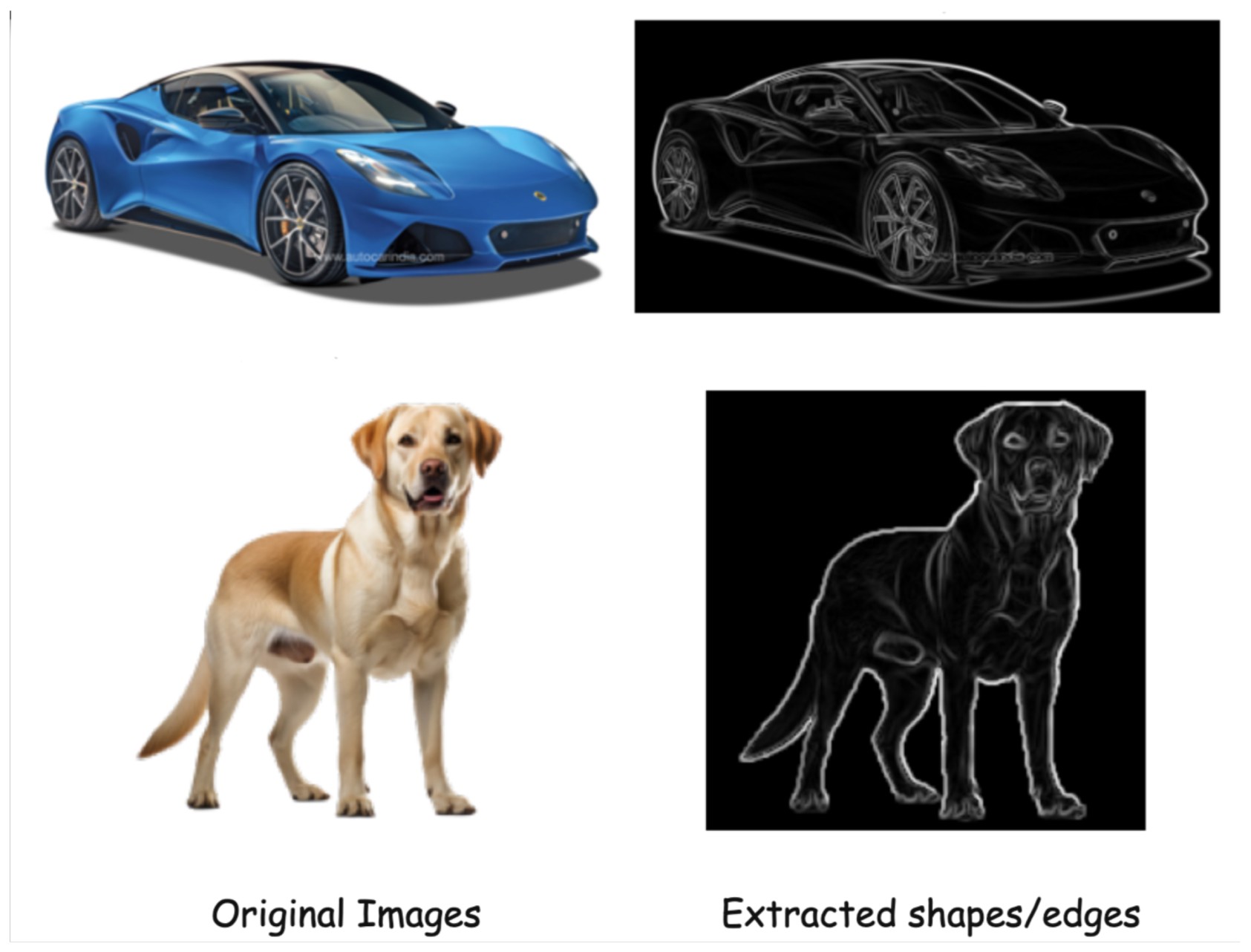
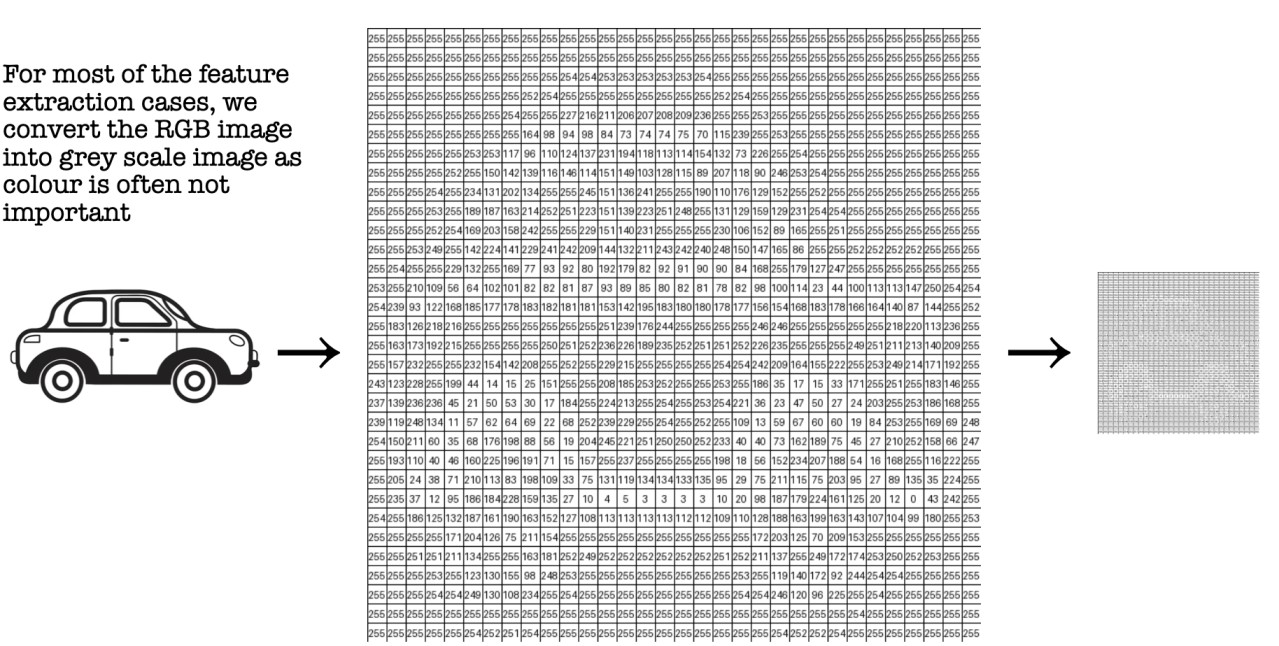
Manual Feature Extraction techniques in Machine Learning
Earlier computer vision relied on manual features, designed by humans and based on domain knowledge
Two popular methods:
- HOG (Histogram of Oriented Gradients)
- SIFT (Scale-Invariant Feature Transform)
HOG (Histogram of Oriented Gradients):
Consider this is pixel values for one small part of an image.
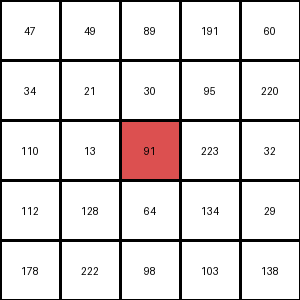
HOG Calculates Gradients or small change in the x and y direction for each pixel in the image.
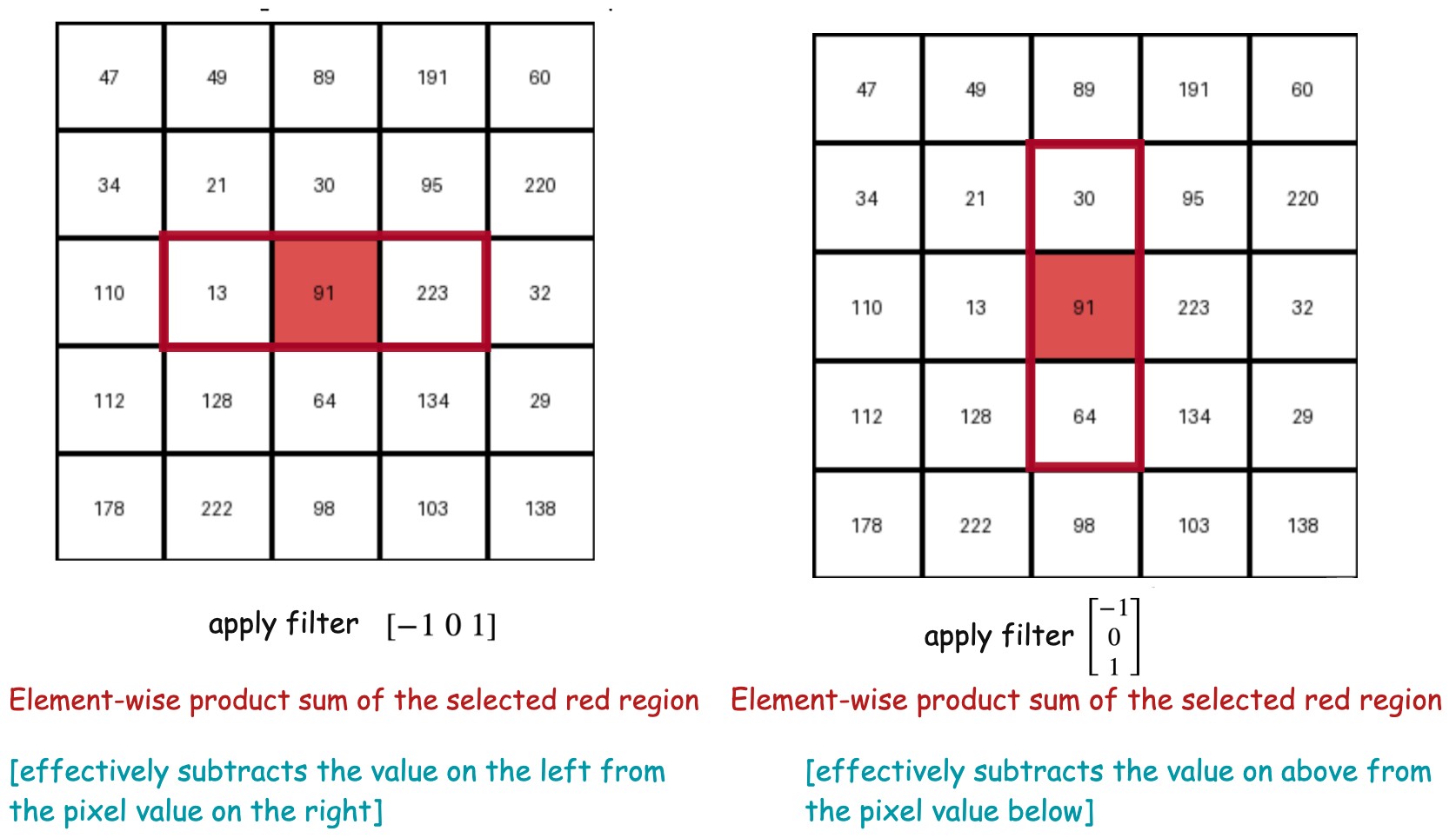
Gradient (or change) in the x-direction  [subtract the value on the left from the pixel value on the right]
Gradient (or change) in the y-direction [subtract the pixel value above from the pixel value below]
The Gradient magnitude would be higher when there is a sharp change in intensity, such as around the edges.
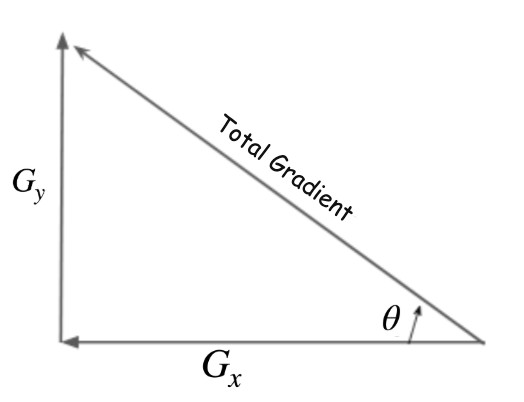
Total Gradient Magnitude (using pythagoras theroem) 
Next, we will calculate the orientation (or direction) for the same pixel.
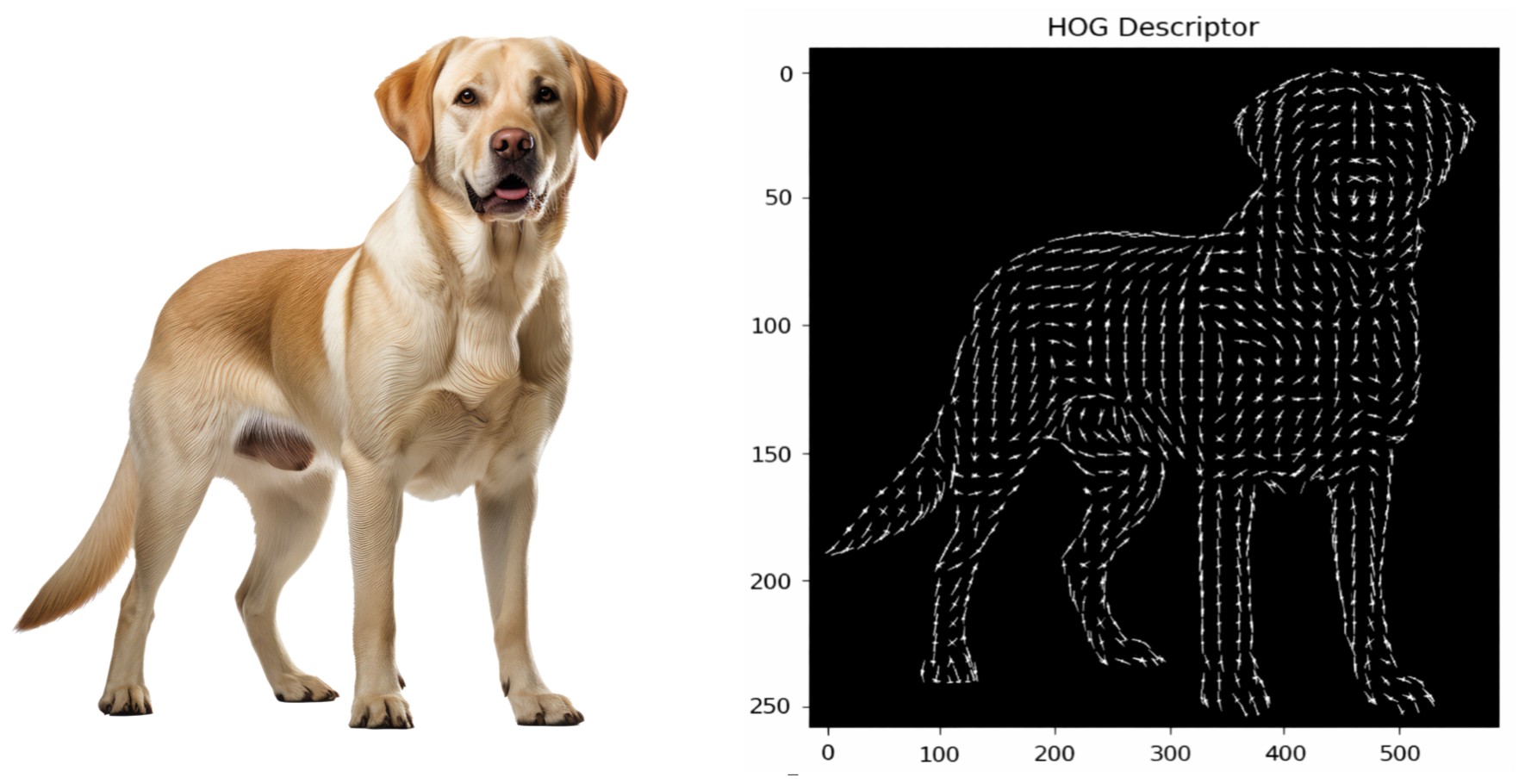
And using this Gradient magnitude and direction it creates a HOG histogram like below.
Now this can also be viewed as applying two filters in x and y direction. Applying a filter means selecting a region of the image around that specific pixel and take sum of element-wise product of the pixel values and the filter values.
x-filter
y-filter
Sobel Filter Application to Detect Edegs
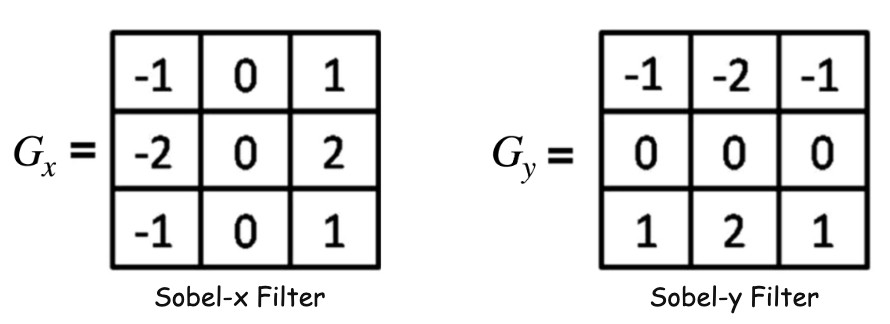
Now we will apply two 3x3 filters, named sobel filters to detect horizontal or vertical edges.
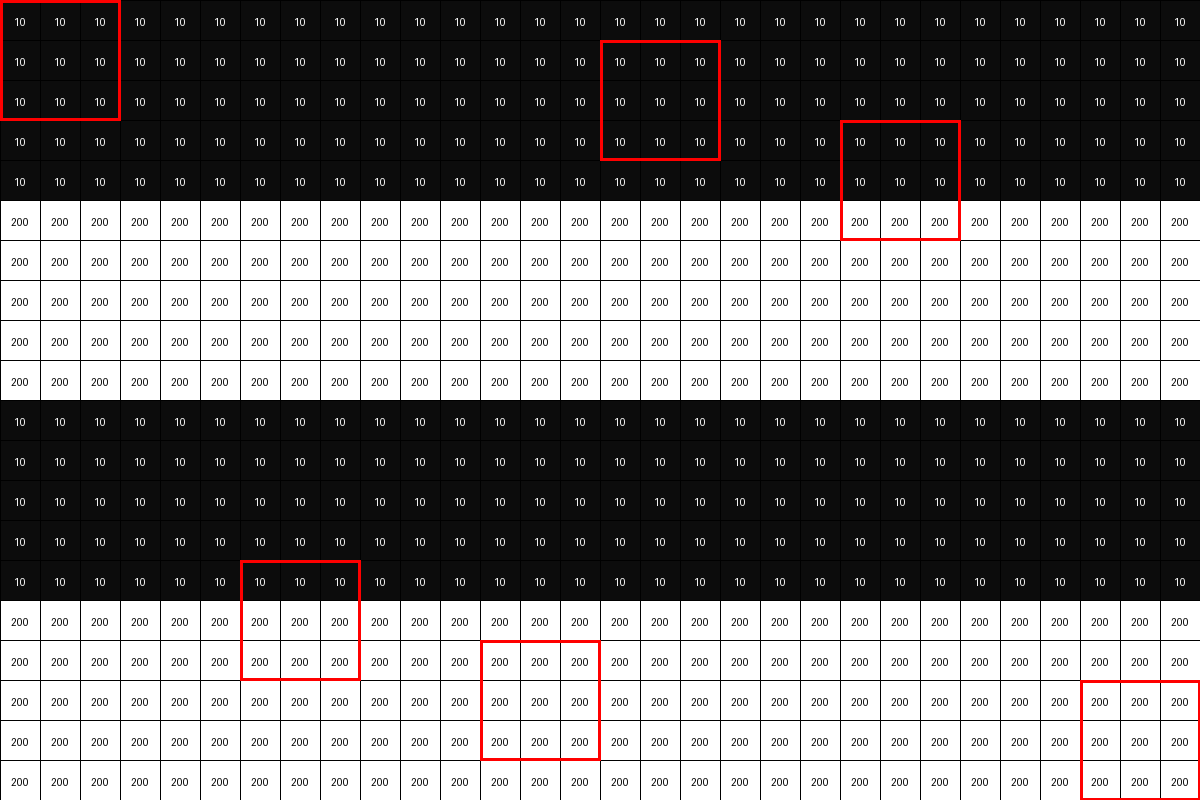
Let's say we have this simple image below with a horizontal edge and we see the 3x3 filter moving across the images.
Sobel Filters
Sobel filters approximate gradients.
Sobel-X →
Measures intensity change along the x-direction. Detects vertical edges
Sobel-Y →
Measures intensity change along the y-direction. Detects horizontal edges
Consider the 3x3 blocks of image where all pixel values are same (or almost same -> which means there is no edge). Place the Sobel-y filter onto that block and calculate element-wise product sum. It will be zero or closer to zero.
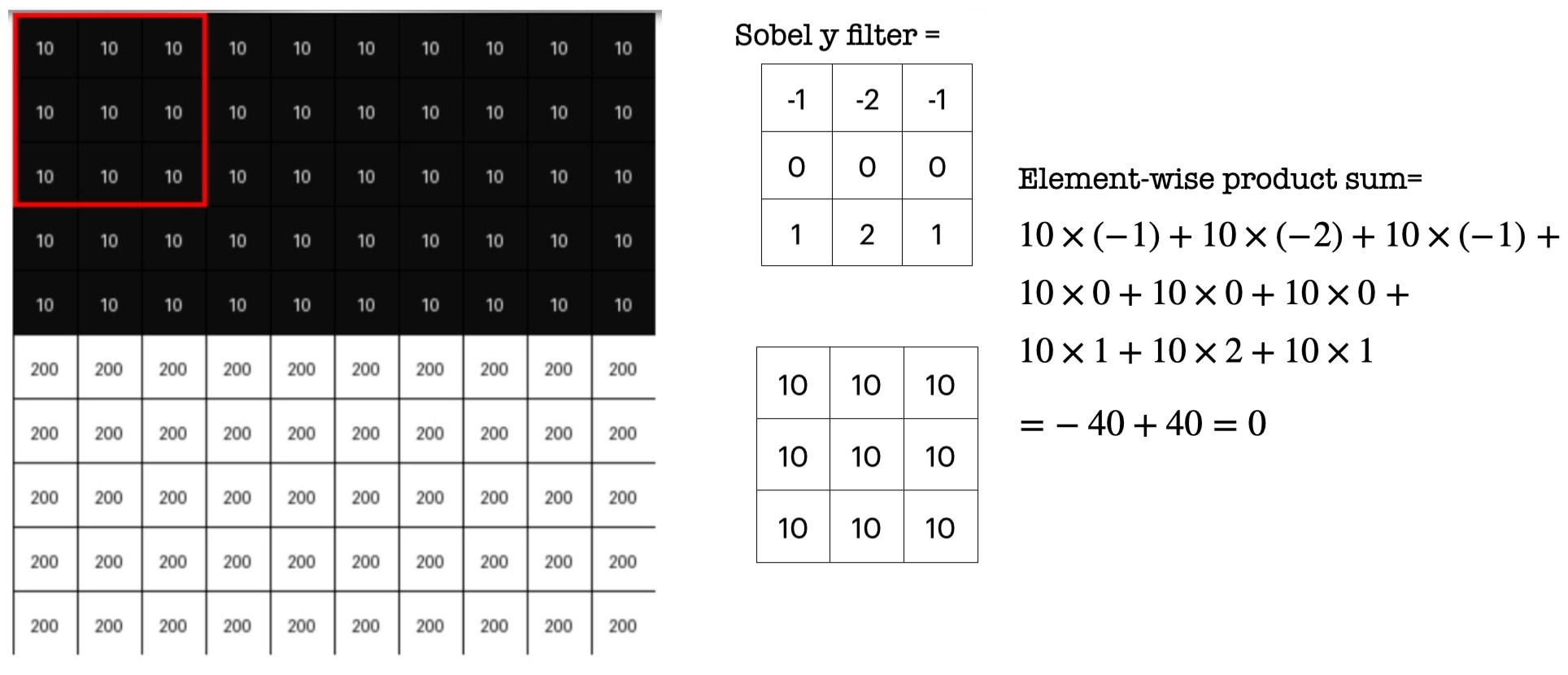
Now consider a 3x3 blocks of image where there is a horizontal edge -> means pixel intensities change drastically. Place the Sobel-y filter onto that block and calculate element-wise product sum. It will be a higher value.

Filter output:
- Can be negative or positive
- Can exceed the 0–255 pixel range
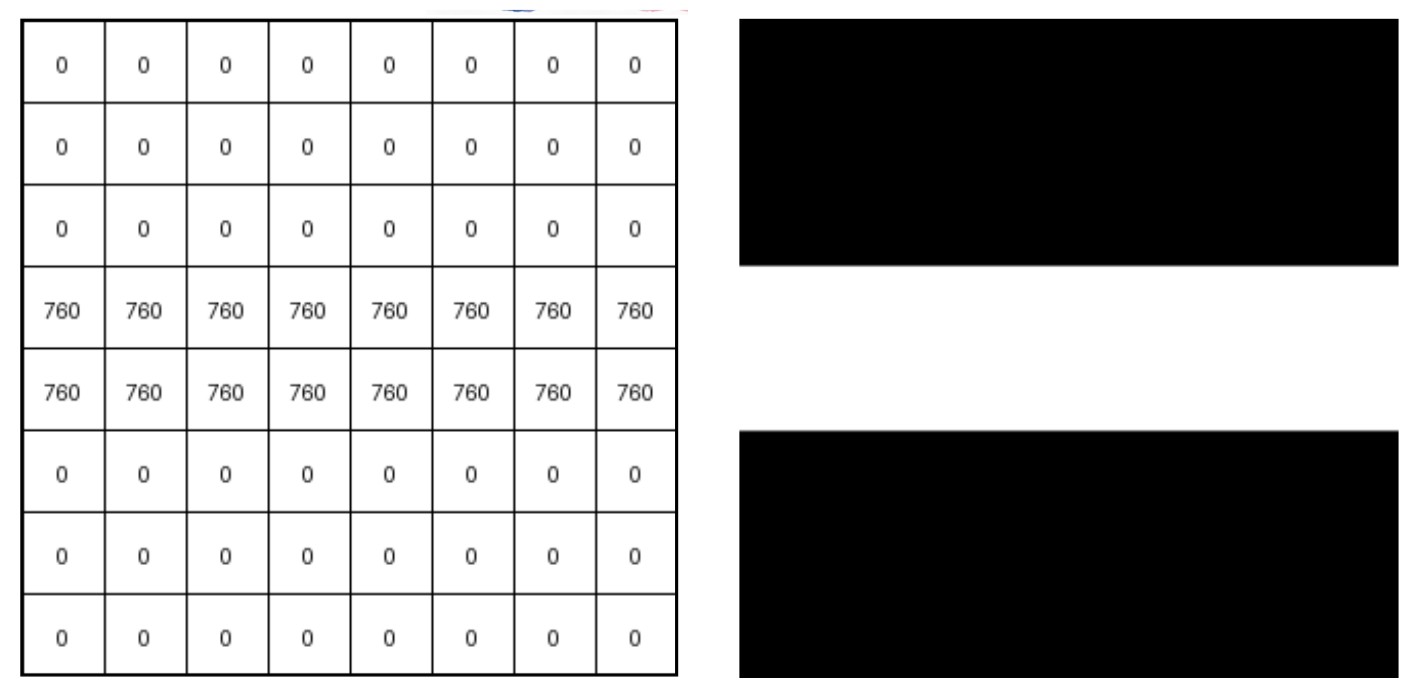
It Represents the edge strength. It does not represent pixel value. So we will take absolute values and normalise them to visualise
0 → 0 (black) 760 → 255 (white)
So we can visualise the edge as shown below.
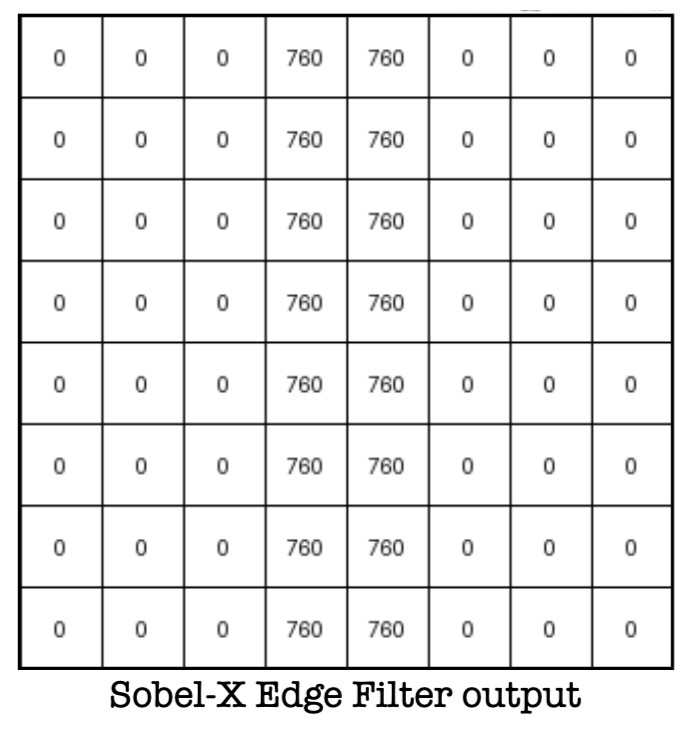
Next, Consider one simple image with vertical edge. To detect a vertical edge we need to track pixel intensity changes in the x-direction.

Applying Sobel-y filter we can detect the vertical edge as shown below.
How Deep Learning learns features?
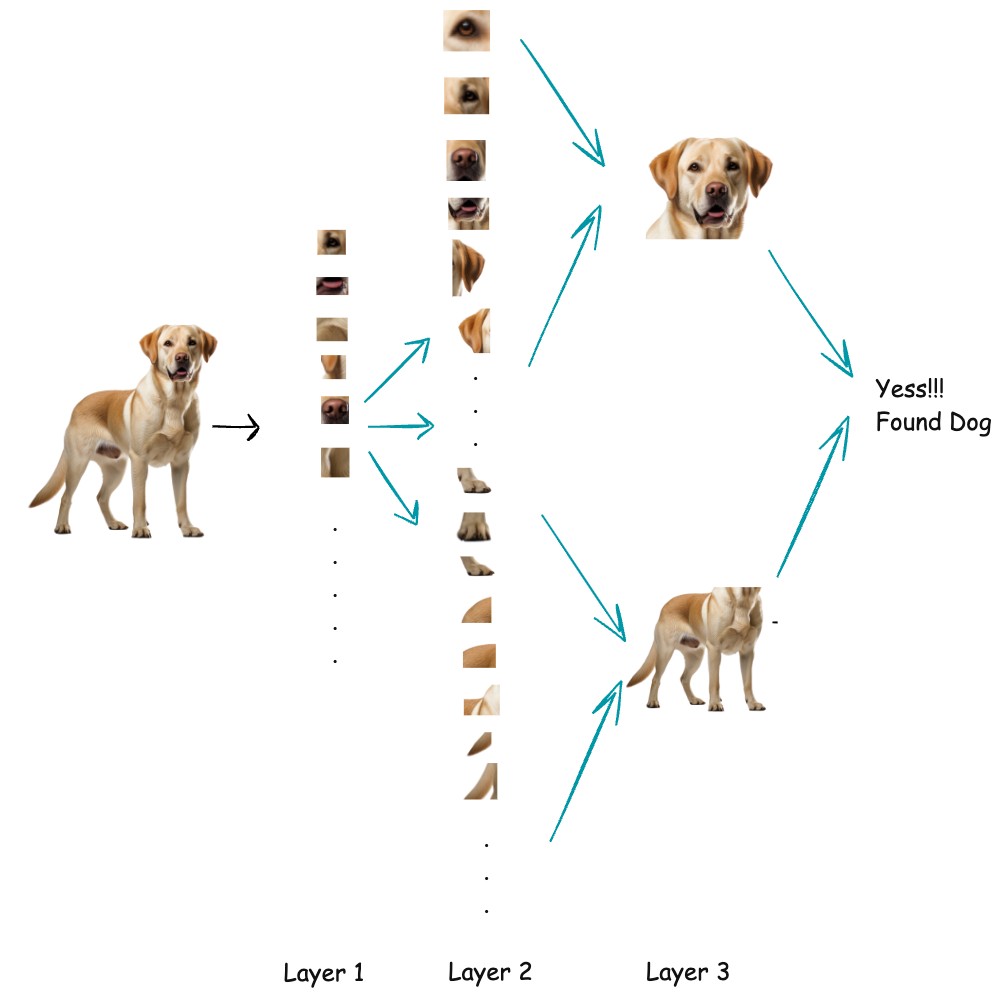
Deep learning learns features in an image by applying learnable filters (kernels) to the image through convolution layers. These filters slide over the image and respond strongly to specific patterns, such as edges, corners, or color changes. At first, the filters are random, but during training they are updated using backpropagation so they become good at detecting useful visual patterns. As images pass through deeper layers, the network combines simple features into more complex ones, gradually learning shapes, object parts, and finally complete objects.
.jpg)
- We will have Feature Extraction layers(with filters) and dense neural network layers(task specific)
- Start With Random Filters with random weight values
- Feed an image (Forward-pass)
- Model will output some prediction (not necessarily correct as we have random filters)
- Calculate Loss/Error = CrossEntropy(predicted=Cat, actual=Dog)
- Backpropagation computes how much each filter contributed to the error.
- It calculates gradients like ( stands for filter weights)
- Apply Gradient Descent to learn the filter weight values
What Do Filters Eventually Learn?
Surprisingly, they learn structured patterns:
Early Layers
- edges (vertical, horizontal)
- corners
- simple textures
Middle Layers
- curves
- patterns
- shapes (e.g. wheel, eye, ear)
Deeper Layers
- semantic features (dog face, car wheel, eye shape)
. .