Youtube System Design
dsd
Functional Requirements
- upload a video
- watch a video
Non-Functional Requirements
- upload and watch large videos
- Eventual consistency for upload
- low latency watch (< 500 ms) even in low bandwidth
- High availability
- Scalability
Scale
- 100 million DAU
- 1 million daily uploads
- 400 million daily watch
- Max video size of youtube is 256 GB
Calculation: 1 million daily uploads = 10^6/10^5 uploads/sec = 10 TPS
400 million watch = 400 * 10^6 /10^5 watch/sec = 4k QPS
1 million daily uploads, assume avg video size = 500 MB = 10^6 * 500 MB = 500 TB/day = 500 *365 TB/year = approx 500 * 400 = 200k TB = 200 PB
Entities
User Video VideoMetadata
API
POST /videos/upload
{video, videoMetadata
}GET /videos/{videoId}/watch
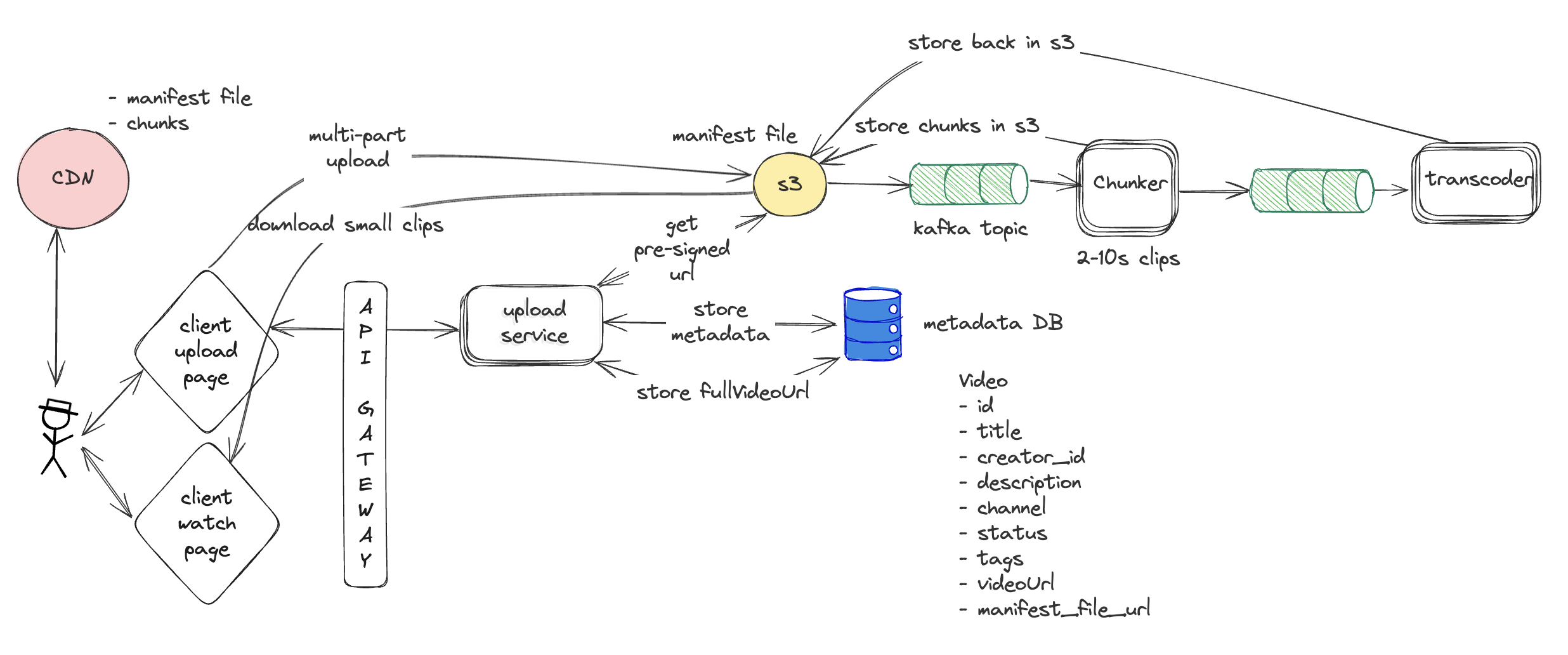
High Level Design
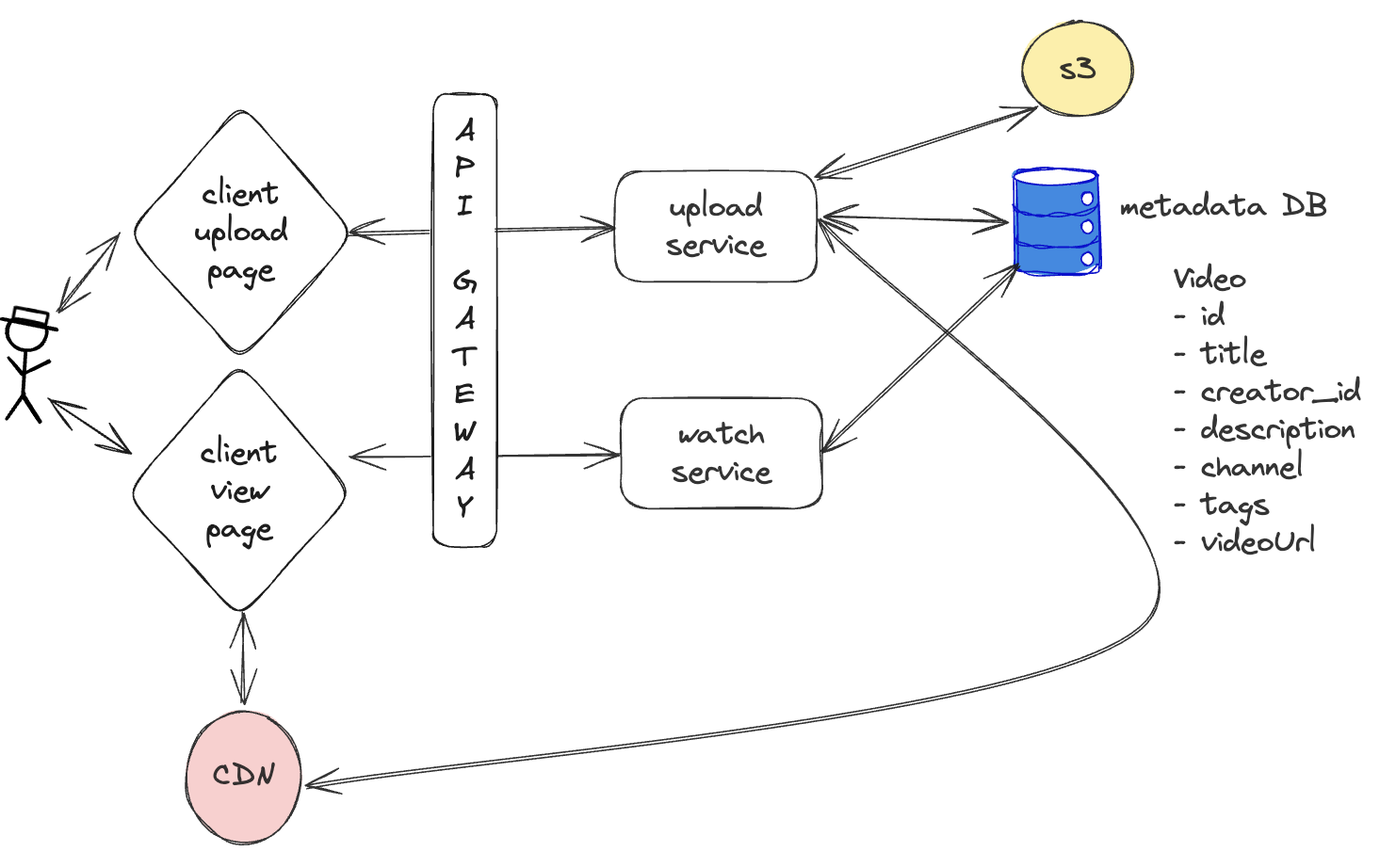
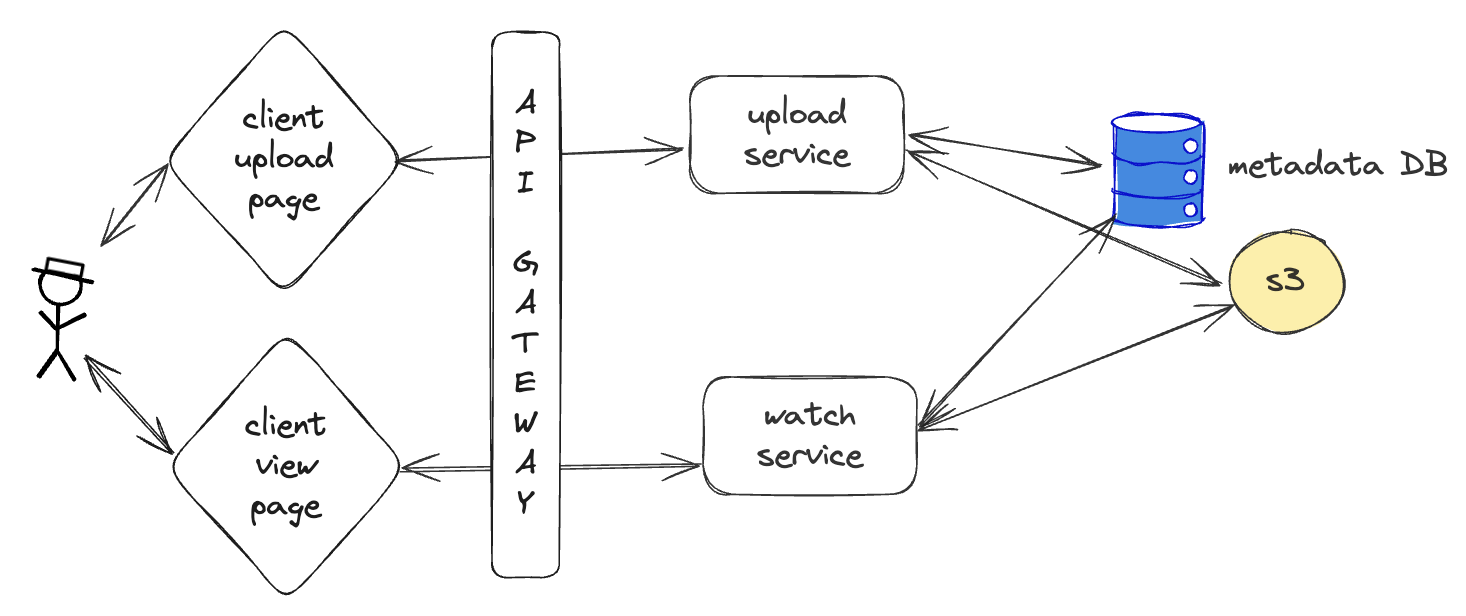
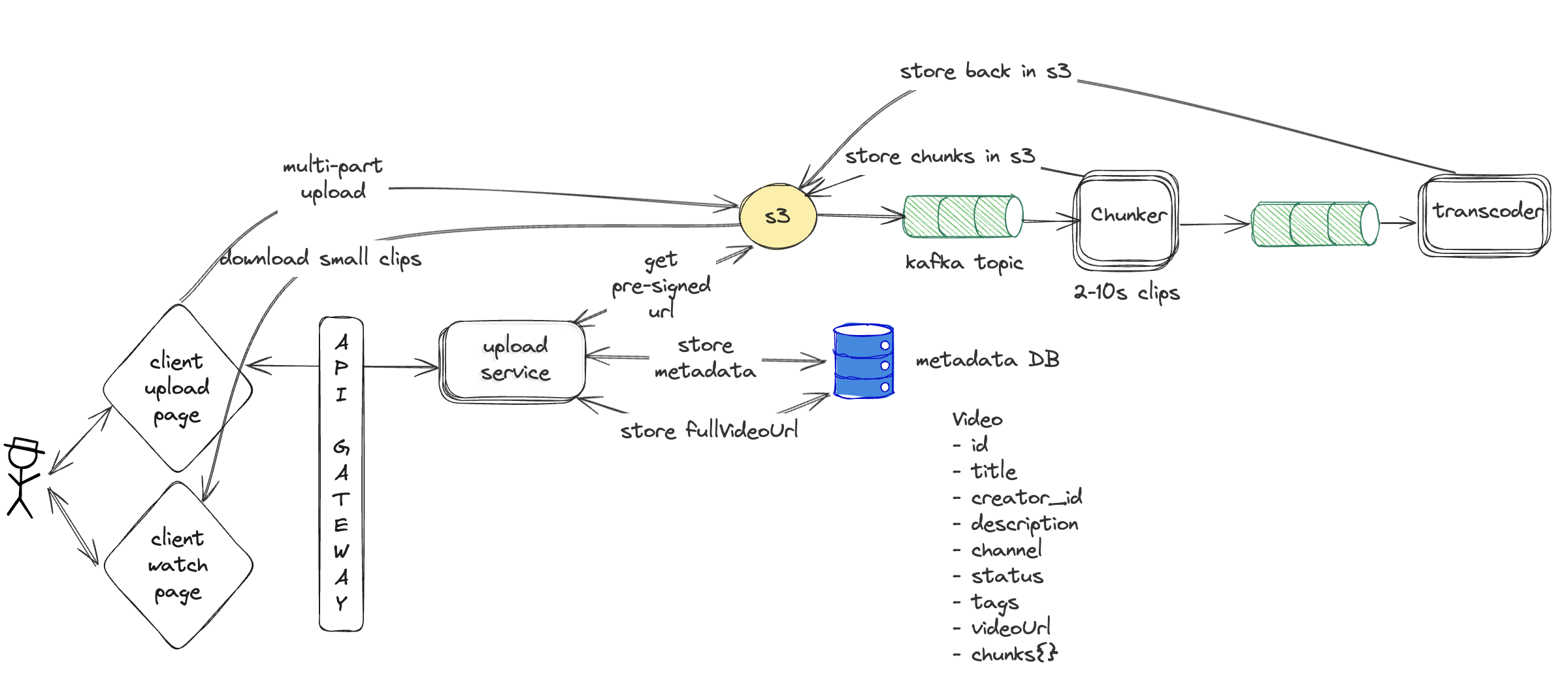
Uploading Large videos
-
Video files are large (100MB to several GB).
-
Uploading through your app server:
Increases memory & CPU usage
Consumes bandwidth
-
If 100 users upload at once, your server must handle concurrent large streams
-
Adds unnecessary network hops and delay:
File must go:
Client → App Server
App Server → Blob Storage (like S3)
-
API gateway has hard limit of payload size of 10 MB
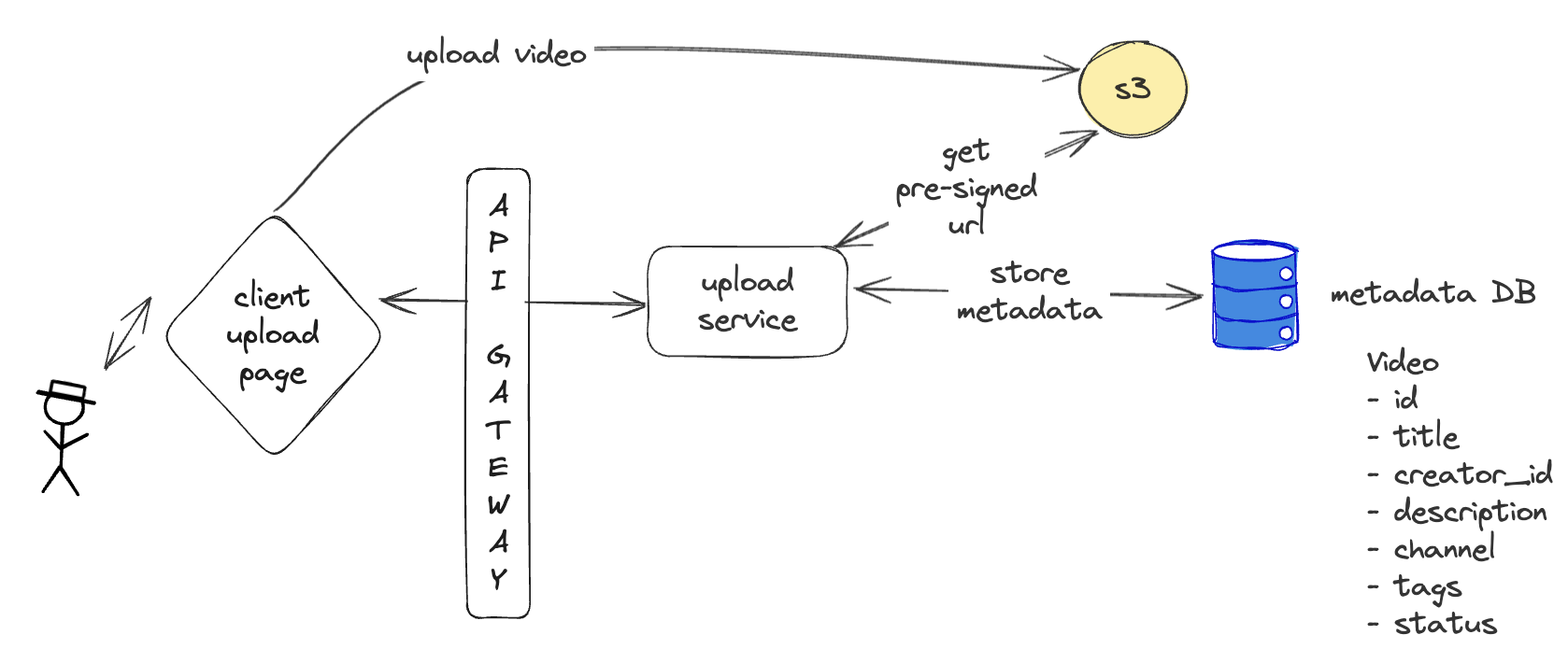
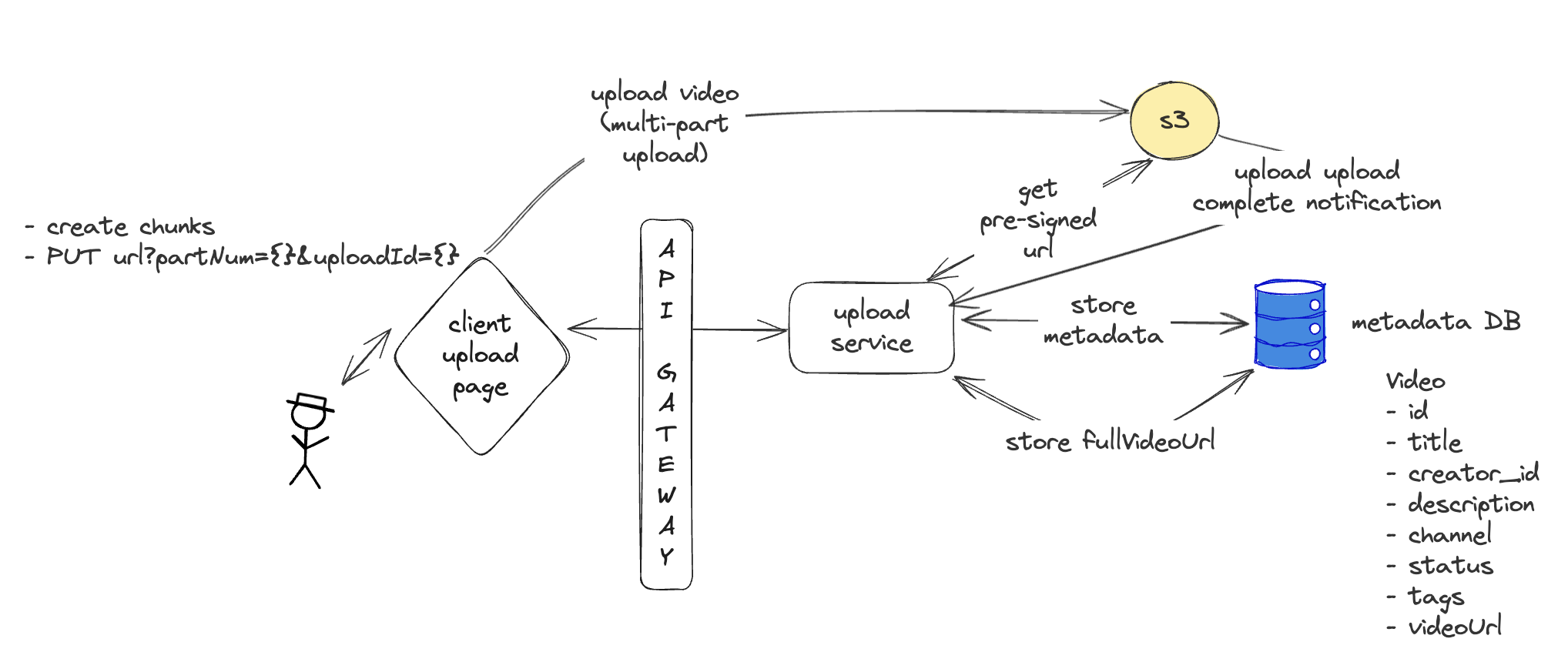
Better approach: client directly uploads in blob storage
Client initiate video upload:
POST /videos/initiate
{title, description, tags, visibility, category, fileType, size
}Response:
{"pre_signed_url": "https://s3.amazonaws.com/bucket/video123?signature=abc...", "video_id": "video123"
}
S3 upload size limit:
object size > 100 MB => you should consider using multipart uploads instead of uploading the object in a single operation
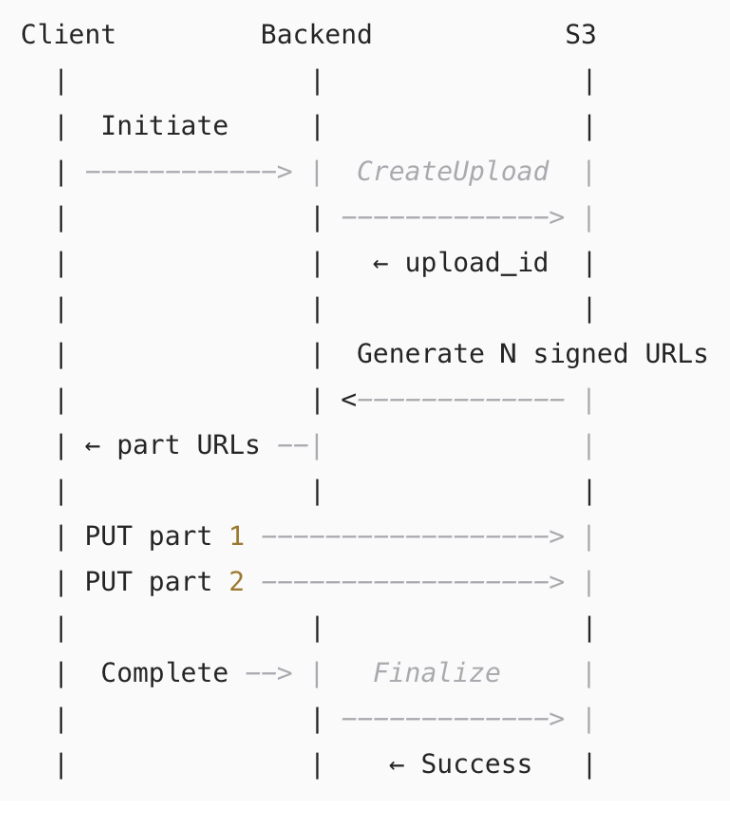
Multi-part upload
Streaming Large Videos

Why downloading directly is not a good option?
- we have to wait for a large video gets downloaded (consider if video size is 10-20 GB)
- client needs to have that much space available in memory to stream the video
- Wasted bandwidth: If the user stops midway, the entire file was downloaded for nothing
- No Adaptive Bitrate Support - Direct downloads are single-resolution.
- Streaming allows adaptive bitrate (ABR) — the quality adjusts dynamically based on network conditions.
- Without Adaptive Bitrate Support, users on slow networks will face buffering or low-quality playback
- No content protection. Easy to pirate or misuse
- Limited analytics. Can't track engagement or ad performance
Better Solution:
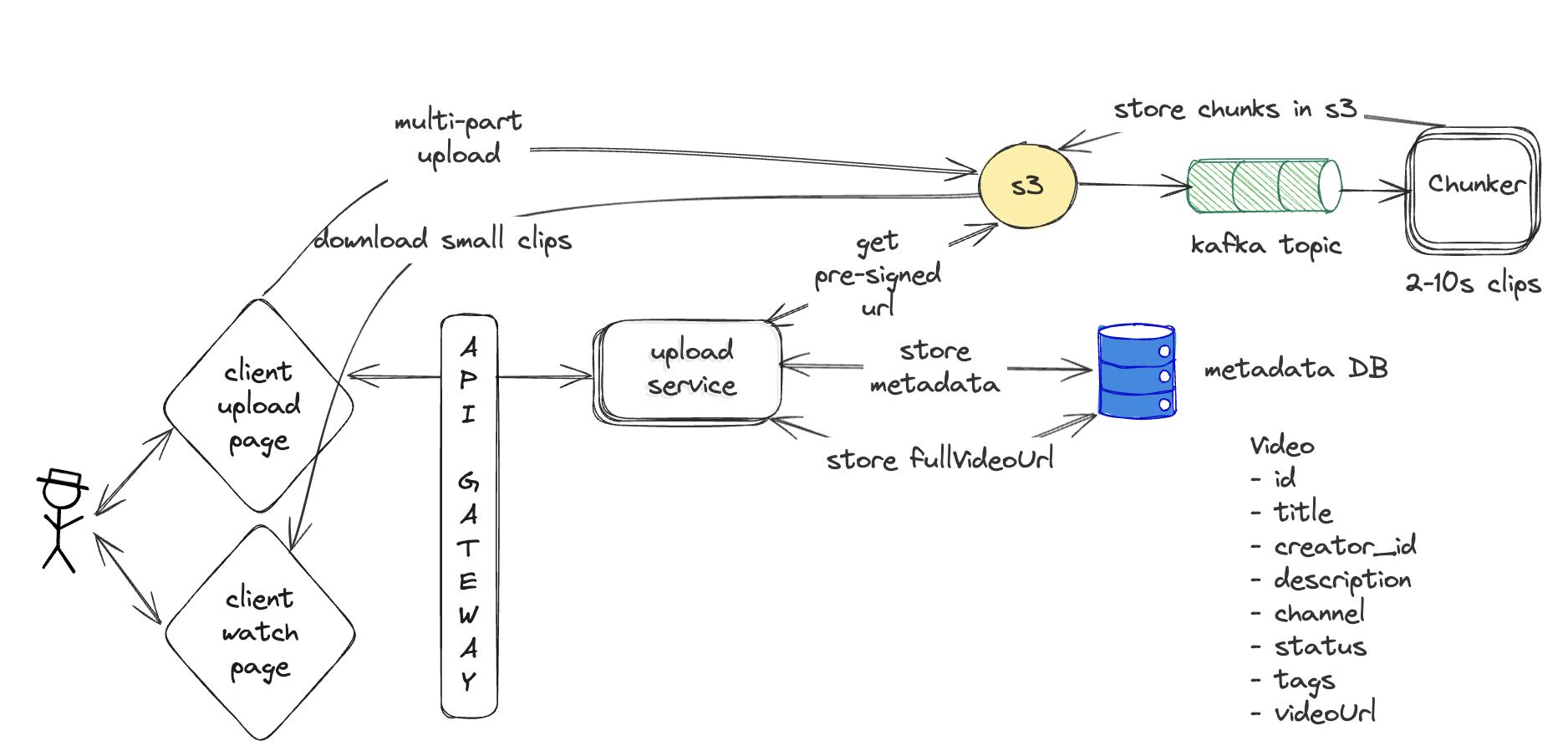
HTTP-Based Adaptive Streaming (e.g., HLS, MPEG-DASH)
Videos are:
Split into small chunks (2–10 seconds)
Delivered based on real-time network speed
Allow resolution switching without reloading
✅ Benefits:
Fast start
Minimal buffering
Efficient bandwidth use
Smooth user experience
Transcoding -
converting video and audio data into different formats, bitrates, and resolutions
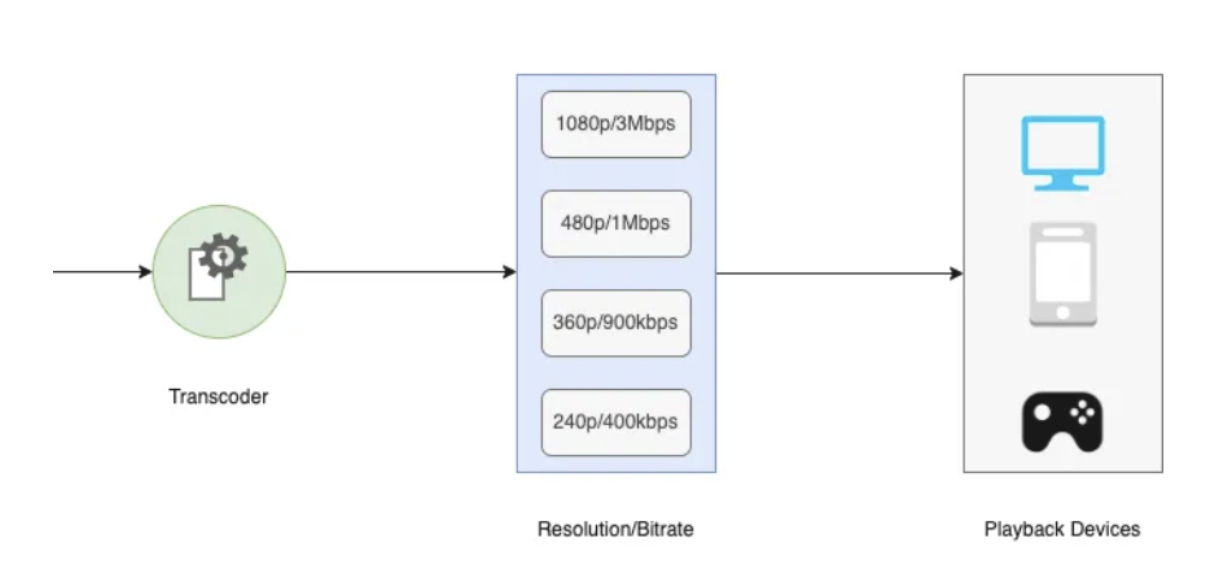
Adaptive bit-rate support -
dynamically adjusting the video quality based on a user's bandwidth and device capabilities. Common protocols for ABR streaming include HLS and MPEG-DASH.
Manifest File
{"video_id": "yt12345", "title": "System Design Basics", "streams": [
{"resolution": "1080p", "bitrate": "3000kbps", "format": "mp4", "codec": "h264", "chunks": [ "https://cdn.youtube.com/yt12345/1080p/1.mp4", "https://cdn.youtube.com/yt12345/1080p/2.mp4" ] },
{"resolution": "720p", "bitrate": "2000kbps", "format": "mp4", "codec": "h264", "chunks": [ "https://cdn.youtube.com/yt12345/720p/1.mp4", "https://cdn.youtube.com/yt12345/720p/2.mp4" ] },
{"resolution": "480p", "bitrate": "1000kbps", "format": "webm", "codec": "vp9", "chunks": [ "https://cdn.youtube.com/yt12345/480p/1.webm", "https://cdn.youtube.com/yt12345/480p/2.webm" ]
}]
}